Feeds:
日志
评论

相见·相思

        电影《非诚勿扰2》中的一首诗和片尾曲带红了六世达赖仓央嘉措,而有意思的是片尾曲《最好不相见》中间部分是今人添加的伪作,只有起首和末尾用了他翻译成汉语只有四句的《十诫诗》的两种版本:

       “第一最好不相见,如此便可不相恋。第二最好不相知,如此便可不相思。”(于道泉译)、

        “但曾相见便相知,相见何如不见时。安得与君相决绝,免教生死作相思”。(曾缄译)

        更有意思的是,因电影而广为人知的《见与不见》却压根与仓央嘉措无半点关系——此诗本名《班扎古鲁白玛的沉默》,作者是当代女诗人扎西拉穆·多多。

       剧组犯如此贻笑大方的错误,是有意抑或无心暂且不论;而《班扎古鲁白玛的沉默》写的是上师对弟子不离不弃的关爱,无关风月,这个也暂且不管。我以为这两首诗似有相通之处,即见与不见的矛盾——见了害相思,于是发愿不见,结果却是你见,或不见我,相思就在那里,躲也躲不过。

        第一次听见这首《十诫诗》,脑子里一下子冒出两句词来:

相见争如不见,

有情何似无情?

——司马光《西江月》

        又想起郑板桥写他初恋的《酷相思·本意》中的:

叹人间咫尺千山路,

不见也相思苦,

便见也相思苦。

        还有胡适《生查子》,可算是最直白的表述了:

也想不相思,

可免相思苦。

几次细思量,

情愿相思苦。

       许多年前黄安有首歌《明明知道相思苦》,歌词似从这首词中化来:

明明知道相思苦,

偏偏对你牵肠挂肚。

经过几许细思量,

宁愿承受这痛苦。

        看来相思之情让人欲罢不能,古往今来,概莫能外。小时的我对此就不甚理解,不明白诗词中的怎么就那么多的游子思妇,不明白哪里会有说不清道不尽的伤春闺怨,不明白做了个梦就为情所困的杜丽娘生了死、死了又生有什么意义,就像我想破脑袋也想不通杜十娘为何怒沉百宝箱、进而决然了结自己的性命,拥有了价值连城的财宝自己不是可以爱怎么生活就怎么生活么?

        有些事,也许只有等长大了才会慢慢明白。


地址:http://v.youku.com/v_show/id_XMjYxNTMyNzI4.html

转自知机网


http://player.youku.com/player.php/sid/XMjYxNTMyNzI4/v.swf


MIX是在太晚了(半夜12点开始)

有兴趣但没看的可以看看额

感觉还是很给力的

万恶的MS扔出这么好看的一个饼,不知道什么时候大家才能吃到…

转载下:http://www.cnblogs.com/vvince/archive/2011/04/14/2015561.html


Silverlight5 Beta已经发布。
详细请关注:http://www.silverlight.net/getstarted/silverlight-5-beta/
相关下载:

Silverlight5 新特性:
1.Multiple Window Support
Multiple window support enables a trusted application to dynamically create additional top level windows.
2.Ancestor RelativeSource Binding
Ancestor RelativeSource Binding enables a DataTemplate to bind to a property on the control that contains it, equivalent to FindAncestor and AncestorType, AncestorLevel bindings in WPF.
3.Implicit DataTemplates
This feature enables the following capabilities:
1. ContentPresenter DataTemplates can be selected based upon the content type.
2. Implicit definition of DataTemplates
3. Dynamically update the ContentPresenter DataTemplate when its content changes
4. Enable proper scoping of DataTemplates
4.ClickCount
Enables Multi‐click input on left and right mouse button.
5.Binding on Style Setter
Binding in style setters allows bindings to be used within styles to reference other properties.
6.Trusted applications in‐browser
Silverlight 5 enables trusted applications to run in‐browser for the first time. The Beta includes support for two features: Elevated In‐Browser via Group Policy & In‐Browser HTML support w/Group Policy.
7.Realtime Sound (low‐latency Audio)
Enables pre‐loading of an audio source for precision timing of playback. Multiple playback instances are supported through creation of SoundEffectInstance objects.
8.Variable Speed Playback (“Trick Play”)
This API enables development of fundamental player experiences such as fast‐forward and rewind and variable speed playback at common speeds (1.2x, 1.4x) – a very common scenario for enterprise training content. The MediaElement.Rate property supports the values ‐8.0, ‐4.0, 0.5, 1, 4.0, 8.0. Note : AudioPitch correction is not present in the Beta but will be added for the final release.
9.Linked Text Containers
Enables RichTextBox controls to be associated and text to overflow from one into the next. multiple RichTextBoxOverflows can be chained (from an initial RichTextBox) to automatically spread text across a pre‐defined free‐form layout or multiple column layout.
10.Text Tracking & Leading
Tracking/leading set more precisely how far apart each character is for extra creative control, Adding finer grained control over the spacing between letters in words in the RichTextbox control.
11.Custom Markup Extensions
Custom markup extensions allow you to run custom code from XAML. Markup extensions allow code to be run at XAML parse time for both properties and event handlers, enabling cutting‐edge MVVM support.
12.XAML Binding Debugging
Data binding debugging allows breakpoints to be set in XAML binding expressions so developers can step through binding issues, examine the Locals window, and create conditional breakpoints.
13.3D Graphics API
Silverlight 5 now has a built‐in XNA 3D graphics API to enables you to build rich, GPU accelerated visualizations and rich user experiences. This includes a new 3D drawing surface control as well as immediate mode GPU access, shaders and effects for 2D and 3D use.
Silverlight5 Beta本次更新还包含了以下特性:

  • Hardware video decode for H.264 playback.
  • Multi‐core background JIT support for improved startup performance.
  • ComboBox type ahead with text searching.
  • Full keyboard support in full‐screen for trusted in‐browser applications, enables richer kiosk and media viewing applications in‐browser.
  • Default filename in SaveFileDialog – Specify a default filename when you launch the SaveFileDialog.
  • Unrestricted filesystem access – trusted applications can Read write to files in any directory on the filesystem.
  • Improved Graphics stack – The graphics stack has been re‐architected to bring over improvements from WP7, such as Independent Animations.
  • Performance optimizations –
  • XAML Parser performance optimizations.
  • Network Latency optimizations.
  • Text layout performance improvements.
  • Hardware acceleration is enabled in windowless mode with Internet Explorer 9.

Silverlight5 Beta相关视频介绍下载—WMV格式:
1.Whats-New-in-Silverlight-5-Beta
2.Implicit-Data-Templates
3.Debugging-Binding
4.Silverlight5_Click_Count
5.Silverlight5_Text_Overflow
6.Silverlight5_Sound_Effects
7.Silverlight5_OS_Windows

转载:http://xuelinghan.spaces.live.com/blog/cns!CD9CBFB5031709CC!503.entry


SPACES快关了

转载下存档用


前一阵在工作中做项目的时候,遇到了COM组件的调用和使用问题,当时研究和好一阵,才把中间的环节打通,现在写出来为大家提供方便,这里包含了四个类型:
1、在VS2005中,C#编写DLL并使用C++调用
2、在VS2005中C#编写的COM组件,使用VC6.0调用
3、在VC6.0中编写COM组件,使用VS2005 C#调用
4、在VC6.0中编写COM组件,使用VC6.0调用
其中每个类型都写了两个程序,一个为COM组件程序,一个为调用程序
程序实现:
1、在VS2005中,C#编写DLL并使用C++调用
(1)C#编写DLL程序
建立C#编写的DLL程序AddDll,项目类型为:类库
程序代码:

using System;
using System.Collections.Generic;
using System.Text;

namespace AddDll
{
    public class Add
    {
        public int iadd(int a, int b)
        {
            int c = a + b;
            return c;
        }
    }
}
      

(2)C++编写调用程序

建立C++的Win32控制台应用程序UseDll,项目类型为:Win32控制台应用程序

配置:右键点击解决方案资源管理器中的UseDll,选择“属性”,将公共语言运行库支持设置为“公共语言运行库支持(/clr)”

程序代码:

#include "stdafx.h"
#include "stdio.h"

#using "..\debug\AddDll.dll"
using namespace AddDll;

int _tmain(int argc, _TCHAR* argv[])
{
        int result;
        Add ^add = gcnew Add();
        result = add->iadd(10,90);
        printf("%d",result);
        scanf("%s");
        return 0;
}
      

2、在VS2005中C#编写的COM组件,使用VC6.0调用

(1)VS2005中使用C#编写COM组件

建立C#编写的COM组件,项目类型为类库

配置:右键点击解决方案资源管理器中的AddCom,选择“属性”,选择“生成”,选择“为COM Interop注册(_P)”

打开AssemblyInfo.cs文件,设置[assembly: ComVisible(true)]

这用就可以生成AddCom.tlb文件

程序代码:

using System;
using System.Collections.Generic;
using System.Text;
using System.Runtime.InteropServices;

namespace AddCom
{
    //可以通过//菜单的 “工具/guid生成”。
    //注意要选择Define Guid{….}格式,并全//部保存下来,保存到哪都行,记事本呀什么的。
    //因为在做VC程序/////////的时候要用到的。
    [Guid("298D881C-E2A3-4638-B872-73EADE25511C")]  
    public interface AddComInterface
    {
        [DispId(1)]
        int iadd(int a, int b);
        [DispId(2)]
        float ladd(float a, float b);
    }

    [Guid("2C5B7580-4038-4d90-BABD-8B83FCE5A467")]
    [ClassInterface(ClassInterfaceType.None)]
    public class AddComService : AddComInterface
    {
        public AddComService()
        {
        }
        public int iadd(int a, int b)
        {
            int c = 0;
            c = a + b;
            return c;
        }
        public float ladd(float a, float b)
        {
            float c = 0;
            c = a + b;
            return c;
        }
    }
}
      

(2)VC6.0编写调用程序

使用VC6.0编写建立MFC应用程序UseCom,项目类型为MFC AppWizard(exe)

在stdafx.h添加:

#import "AddCom.tlb"
using namespace AddCom;
      
程序代码:
void CUseComDlg::OnButtonUse() 
{
        // TODO: Add your control notification handler code here
        int dresult;
        float fresult;
        CString strResult;

        CoInitialize(NULL);//NULL换成0也可以

        AddCom::AddComInterfacePtr p_Add(__uuidof(AddComService));
        dresult = p_Add->iadd(1,2);
        fresult = p_Add->fadd(1.2,2.3);
        strResult.Format("int:%d \nfloat:%f",dresult,fresult);
        MessageBox(strResult,"计算结果",MB_OK);

        CoUninitialize();   
        
}
      
3、在VC6.0中编写COM组件,使用VS2005 C#调用

(1)VC6.0编写COM

使用VC6.0建立COM组件,工程类型:ATL COM AppWizard

程序代码:

接口:
interface IAdd : IDispatch
        {
                [id(1), helpstring("method iadd")] HRESULT iadd([in]int a, [in]int b, [out]int * c);
                [id(2), helpstring("method fadd")] HRESULT fadd([in]float a, [in]float b, [out]float * c);
                [id(3), helpstring("method isub")] HRESULT isub([in]int a, [in]int b, [out]int * c);
        };
      
实现:
STDMETHODIMP CAdd::iadd(int a, int b, int *c)
{
        // TODO: Add your implementation code here
        *c = a + b;

        return S_OK;
}

STDMETHODIMP CAdd::fadd(float a, float b, float *c)
{
        // TODO: Add your implementation code here
        *c = a + b;

        return S_OK;
}

STDMETHODIMP CAdd::isub(int a, int b, int *c)
{
        // TODO: Add your implementation code here
        *c = a - b;

        return S_OK;
}
      

(2)VS2005使用C#编写调用程序(网站程序)

使用VS2005建立网站UseCom

配置:在解决方案资源管理器中的主目录点击右键,选择添加引用,选择COM,添加刚刚建立的AddCom 1.0 Type Library

在程序中要using编写的COM组件:using ADDCOMLib;

程序代码:

using System;
using System.Data;
using System.Configuration;
using System.Web;
using System.Web.Security;
using System.Web.UI;
using System.Web.UI.WebControls;
using System.Web.UI.WebControls.WebParts;
using System.Web.UI.HtmlControls;
using ADDCOMLib;

public partial class _Default : System.Web.UI.Page 
{
    protected void Page_Load(object sender, EventArgs e)
    {

    }
    protected void ButtonCom_Click(object sender, EventArgs e)
    {
        Add add = new Add();
        int iresult;
        float fresult;
        int sresult;

        add.IAdd(10, 20, out iresult);
        add.fadd((float)1.2,(float)2.3, out fresult);
        add.isub(100, 10, out sresult);

        TextBoxResult.Text = iresult.ToString();
        TextBoxRe2.Text = fresult.ToString();
        TextBoxRe3.Text = sresult.ToString();
    }
}
      
4、在VC6.0中编写COM组件,使用VC6.0调用

(1)VC6.0编写COM组件

使用VC6.0建立COM组件,工程类型:ATL COM AppWizard

程序代码:

接口:
interface IAdd : IDispatch
        {
                [id(1), helpstring("method iadd")] HRESULT iadd([in]int a, [in]int b, [out]int * c);
                [id(2), helpstring("method fadd")] HRESULT fadd([in]float a, [in]float b, [out]float * c);
                [id(3), helpstring("method isub")] HRESULT isub([in]int a, [in]int b, [out]int * c);
        };
      
实现:
STDMETHODIMP CAdd::iadd(int a, int b, int *c) { // TODO: Add your implementation code here *c = a + b; return S_OK; } STDMETHODIMP CAdd::fadd(float a, float b, float *c) { // TODO: Add your implementation code here *c = a + b; return S_OK; } STDMETHODIMP CAdd::isub(int a, int b, int *c) { // TODO: Add your implementation code here *c = a - b; return S_OK; }

(2)VC6.0编写调用程序

使用VC6.0建立MFC应用程序UseCOM,调用刚刚建立的COM组件

将上面程序AddCom生成的AddCom.dll放入本程序的工程目录和程序生成目录中

在StdAfx.h中加入:

#import "AddCom.dll" no_namespace

程序代码:

void CUseComDlg::OnBUTTONUse() 
{
        // TODO: Add your control notification handler code here
        CString strResult;
        CoInitialize(NULL);//NULL换成0也可以
        IAddPtr m_add = NULL;
        HRESULT hr = S_OK;
        hr = m_add.CreateInstance(__uuidof(Add));

        int d_a = 90;
        int d_b = 10;
        int d_c;
        int d_d;
        float f_a = 1;
        float f_b = 2;
        float f_c;
 
        m_add->_IAdd(d_a,d_b,&d_c);
        m_add->fadd(f_a,f_b,&f_c);
        m_add->isub(d_a,d_b,&d_d);

        strResult.Format("返回结果:%d; %f; %d",d_c,f_c,d_d);
        MessageBox(strResult,"结果",MB_OK);

        m_add.Release();
        m_add = NULL;
        CoUninitialize();   
        
}
      

结束语:希望能对大家有帮助!

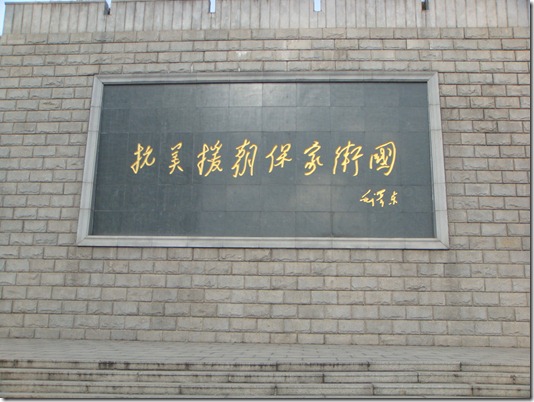
寒假–抗美援朝纪念馆

DSC02222


大门

DSC02225


纪念碑

DSC02227


看看飞机坦克大炮:


DSC02228DSC02230


纪念馆

DSC02231

谁是最可爱的人

DSC02232


门口的装备:

DSC02233


主席和司令

DSC02239


组成中国人民志愿军命令

DSC02240


各民主党派联合宣言

DSC02241


DSC02242DSC02243

DSC02244


美军 装备

 DSC02246DSC02288


金日成的 求救信

DSC02247


小炮 …

DSC02248


出征誓词、军歌草稿

DSC02249


彭德怀的汽车

DSC02250


志愿军的装备

DSC02251

DSC02252

DSC02253

DSC02254


朝鲜给志愿军某部队的信

DSC02255DSC02256


安葬毛岸英时发的电报和毛岸英墓

DSC02257


勋章

DSC02258

DSC02261

DSC02269

估计这是第一版的“谁是最可爱的人”

DSC02260


白云山团团旗

DSC02264

DSC02262


魏巍第二篇战地文章“汉江南岸的日夜”草稿

DSC02266

DSC02267


著名的机枪打飞机

DSC02268


无敌坑道

DSC02274

DSC02275DSC02276DSC02278DSC02283DSC02284DSC02285


邱少云的棉衣残片

DSC02286


停战协定

DSC02287


白虎团团旗(被抢回来…)

DSC02289


里面还有个全景厅


出来再看看飞机坦克大炮

DSC02297DSC02298DSC02299DSC02300DSC02302DSC02301


1115号机车

DSC02303DSC02305


最后是个指挥部,条件有限,很简陋,OVER…

DSC02306

DSC02307

SQL SERVER 2008 R2序列号

数据中心版:PTTFM-X467G-P7RH2-3Q6CG-4DMYB

开 发者 版:MC46H-JQR3C-2JRHY-XYRKY-QWPVM

企    业 版:R88PF-GMCFT-KM2KR-4R7GB-43K4B

标    准 版:B68Q6-KK2R7-89WGB-6Q9KR-QHFDW

工 作 组版:XQ4CB-VK9P3-4WYYH-4HQX3-K2R6Q

WEB    版:FP4P7-YKG22-WGRVK-MKGMX-V9MTM

寒假 公园…


塔,可以俯瞰整个丹东:

DSC02060DSC02062


俯瞰全景图:

全景1


一个倒霉的皇帝的碑:

DSC02074


就是这个倒霉的人…

DSC02078


曙光阁,据说花了曙光集团不少钱…

DSC02079


远看刚才那个塔真小…

DSC02081


山下有动物园,免费的额..

狮子:

DSC02084


皮包骨头,冻得打喷嚏的老虎

DSC02088


还是银狐漂亮…

DSC02099

DSC02103DSC02104


骆驼:

DSC02110


猴子:

DSC02116DSC02117DSC02122

狼,长的真像大狗…

DSC02127


野猪…

DSC02130

孔雀:

DSC02147DSC02149


DSC02141


鸭绿江畔….

DSC02155


洪水纪念:

DSC02173


断桥:

DSC02212

DSC02216


全景图:

对面就是社会主义棒子国…

全景7

全景3


被美帝炸断的桥…

全景4

加关注

Get every new post delivered to your Inbox.